Task Schema Validation
Task Schema Validation allows you to define the expected structure of task payloads at each stage. When enabled, payloads are automatically validated against a JSON Schema before the task is delivered, preventing malformed data from flowing through your workflow.
How it works
When a stage calls send_task, the system checks if the target stage has a task schema defined:
- No schema defined: any payload is accepted (default behavior).
- Schema defined but task type not listed: the task is rejected with a validation error.
- Schema defined with matching task type: the payload must match the JSON Schema for that type. If it doesn't, the task is rejected with a detailed error message.
Validation happens before the task is sent, so invalid data never reaches the next stage.
Configuring a Task Schema
You can configure task schemas in the Abstra Editor, inside the settings panel of any stage (Form, Hook, Job, or Script).
- Open the stage settings
- Find the Task Schema Validation section
- Enable it with the toggle
- Add task types and define the expected fields for each type
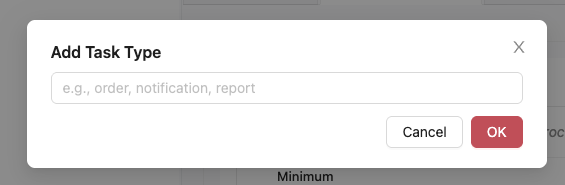
Adding task types
Click Add Task Type to create a new type. Each task type you define corresponds to a type string used in send_task. For example, if your stage sends tasks with type "approved" and "rejected", you should add both types to the schema.
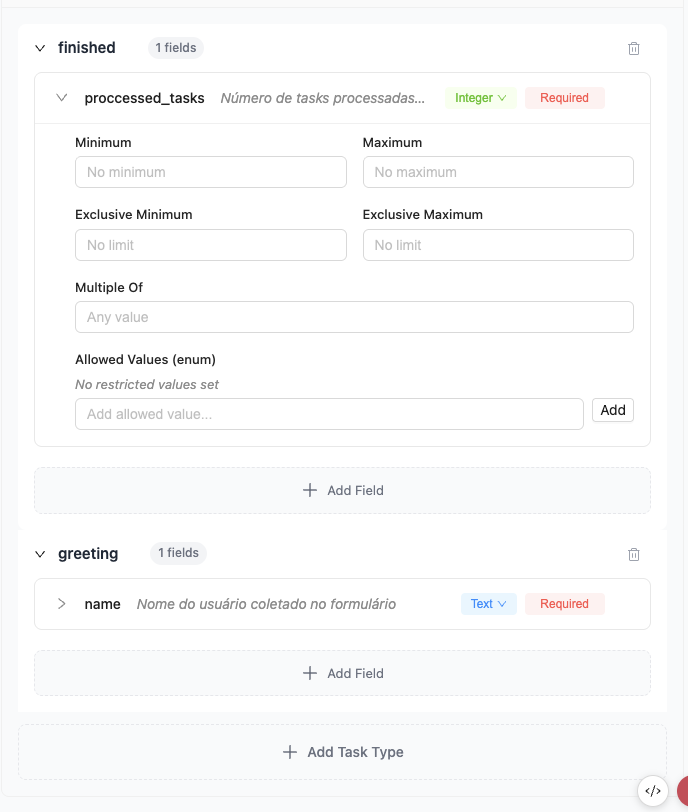
Defining fields
Click Add Field to open the field creation dialog, where you can set the name, type, description, and whether the field is required.
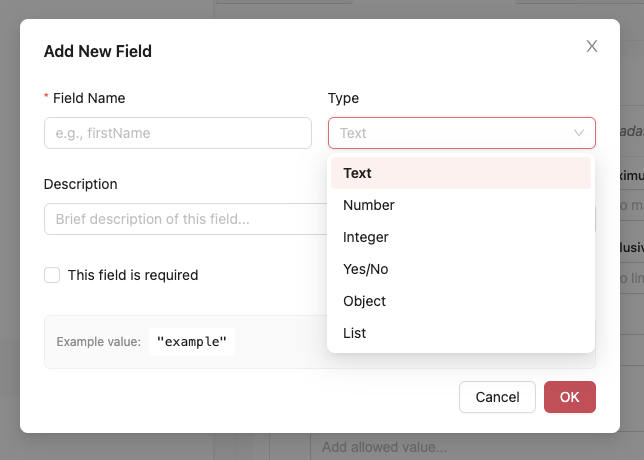
For each task type, you can add fields with:
- Name: the key in the payload dictionary
- Type: Text, Number, Integer, Yes/No, Object, or List
- Required: whether the field must be present in the payload
- Description: a human-readable description of the field
Each type supports specific validations:
| Type | Available validations |
|---|---|
| Text | min/max length, pattern (regex), format, enum |
| Number / Integer | minimum, maximum, exclusive min/max, multipleOf |
| Yes/No | - |
| List | item type, min/max items, unique items |
| Object | nested properties, required fields, additional properties |
Generate with AI
You can also click Generate with AI to automatically infer a schema from your stage's code.
Example
Consider a workflow where a Form stage sends approved orders to a processing stage. You can define a schema on the processing stage to ensure the payload always has the required fields:
Schema configuration on the target stage (task type "approved"):
| Field | Type | Required |
|---|---|---|
customer_name | string | yes |
order_total | number | yes |
items | array | yes |
Sending a valid task:
from abstra.tasks import send_task

send_task("approved", {
    "customer_name": "Michael Scott",
    "order_total": 99.50,
    "items": ["Paper", "Stapler"]
})
# Task is sent successfully
Sending an invalid task (missing required field):
from abstra.tasks import send_task

send_task("approved", {
    "customer_name": "Michael Scott",
    # missing "order_total" and "items"
})
# Raises TaskSchemaValidationException with a detailed error message
Sending a task with an undefined type:
from abstra.tasks import send_task

send_task("unknown_type", {
    "data": "some value"
})
# Raises TaskSchemaValidationException:
# Task type 'unknown_type' is not defined in stage schema
Task Schema Validation catches errors early, at the sender side. This makes debugging easier because you get immediate feedback when the payload doesn't match what the target stage expects.