Pages
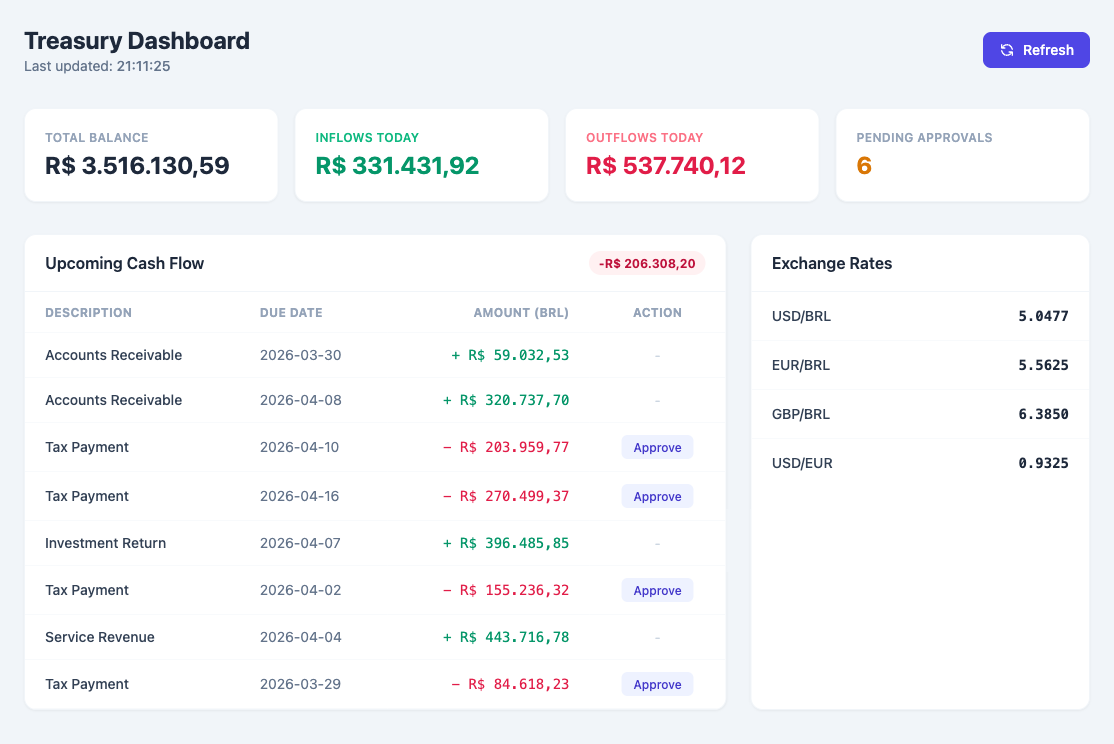
Abstra Pages are Python-powered custom HTML interfaces. Unlike Forms (which use a widget-based UI), Pages give you full control over the HTML, CSS, and JavaScript while keeping the backend logic in Python.
Pages are the recommended choice for dashboards, data visualizations, interactive tools, and any interface that benefits from custom styling (e.g., Tailwind CSS).
How it works
A Page is a Python script that:
- Registers functions using
@register_function— these become callable from the browser as async JavaScript functions - Defines a
__render__function — a special function that returns the HTML string served to the browser
from abstra.pages import register_function

@register_function
def get_data():
    return {"message": "Hello from Python!"}

@register_function
def __render__():
    return """
    <script src="https://cdn.tailwindcss.com"></script>
    <div class="p-8">
        <h1 class="text-3xl font-bold" id="output">Loading...</h1>
        <button onclick="load()" class="mt-4 bg-blue-600 text-white px-4 py-2 rounded">
            Refresh
        </button>
    </div>
    <script>
    async function load() {
        const data = await get_data();
        document.getElementById("output").textContent = data.message;
    }
    load();
    </script>
    """
Request flow
- GET requests call
__render__()and return the HTML with auto-generated JS function stubs - POST requests call the specified registered function and return JSON
The __render__ function is not exposed as a JavaScript function — it can only be called by the server on GET requests.
Creating a Page
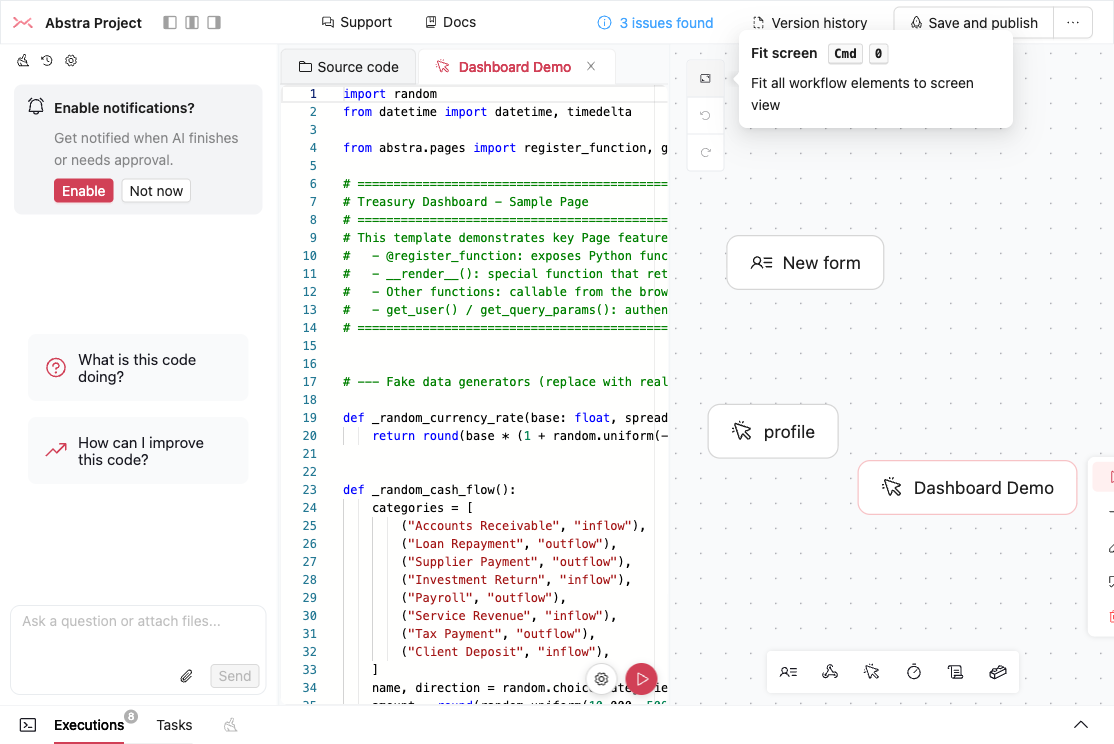
Drag the Pages icon from the workflow toolbar onto the canvas, or press the U keyboard shortcut.

The page appears in the workflow canvas alongside forms, hooks, and other stages.
Running and testing
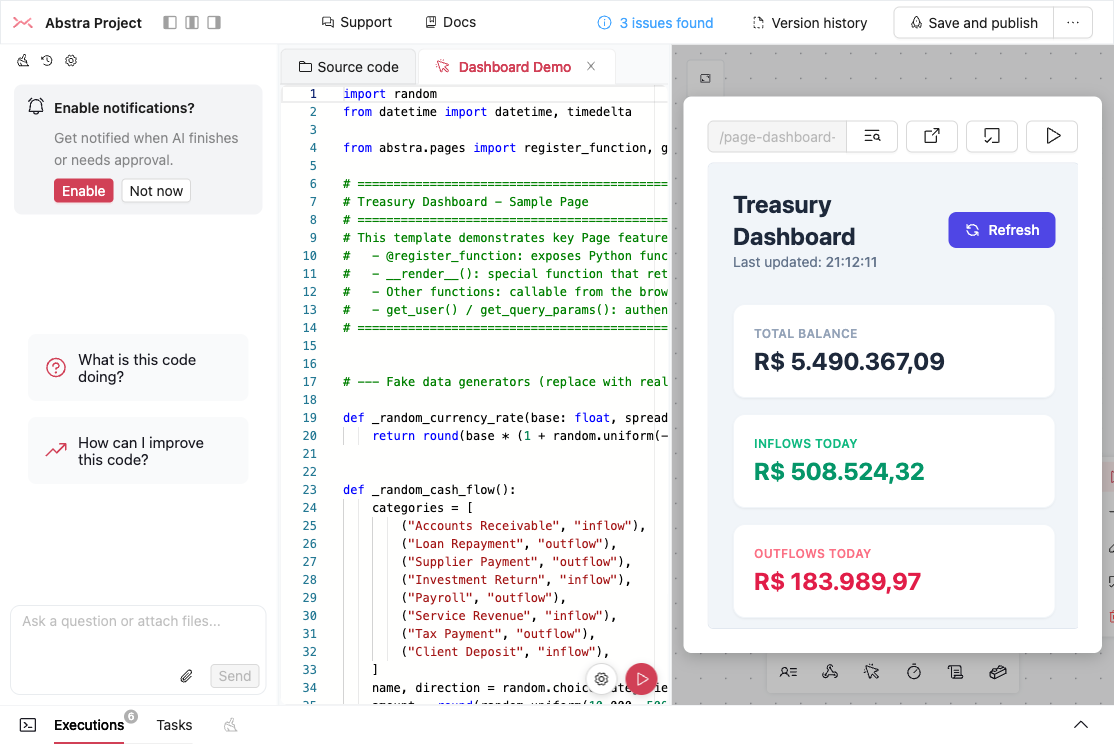
Click on a page node and select Run to preview it in the editor. The PageTester shows the rendered HTML in an iframe with a toolbar for URL preview, query params, fullscreen, and tasks.
Pages vs Forms
| Feature | Pages | Forms |
|---|---|---|
| UI control | Full HTML/CSS/JS | Widget-based (pre-built components) |
| Styling | Any CSS framework (Tailwind recommended) | Abstra theme system |
| Best for | Dashboards, custom UIs, data viz | Step-by-step data collection |
| Backend calls | @register_function → async JS | Widget events → Python state |
| Validation | Custom (in JS or Python) | Built-in widget validation |
| File uploads | Custom implementation | Built-in FileInput widget |
| Multi-step flows | Custom (SPA-style) | Built-in with run() steps |
Rule of thumb: If you need to display data or build a custom interface, use Pages. If you need to collect structured input through a wizard-like flow, use Forms.